
Troubleshoot: “Mismatch SenderID” error
If your Android app fails to receive push notifications and you see Mismatch SenderID error while sending the notification, follow this checklist in order.
1. Make sure google-services.json is in the app module
google-services.json is in the app modulePlace the file at:
<project-root>/app/google-services.json (not in the root project or another module).
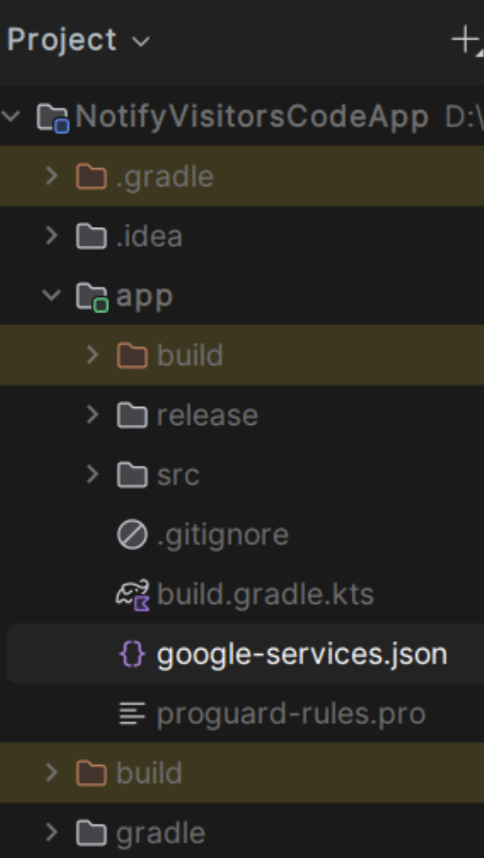
Tip: If you use product flavors or multiple app modules, ensure each application module that builds an APK/AAB has its own correct google-services.json.
2. Verify the Sender ID = Project number
Open Firebase Console → Project settings → General and check Project number.
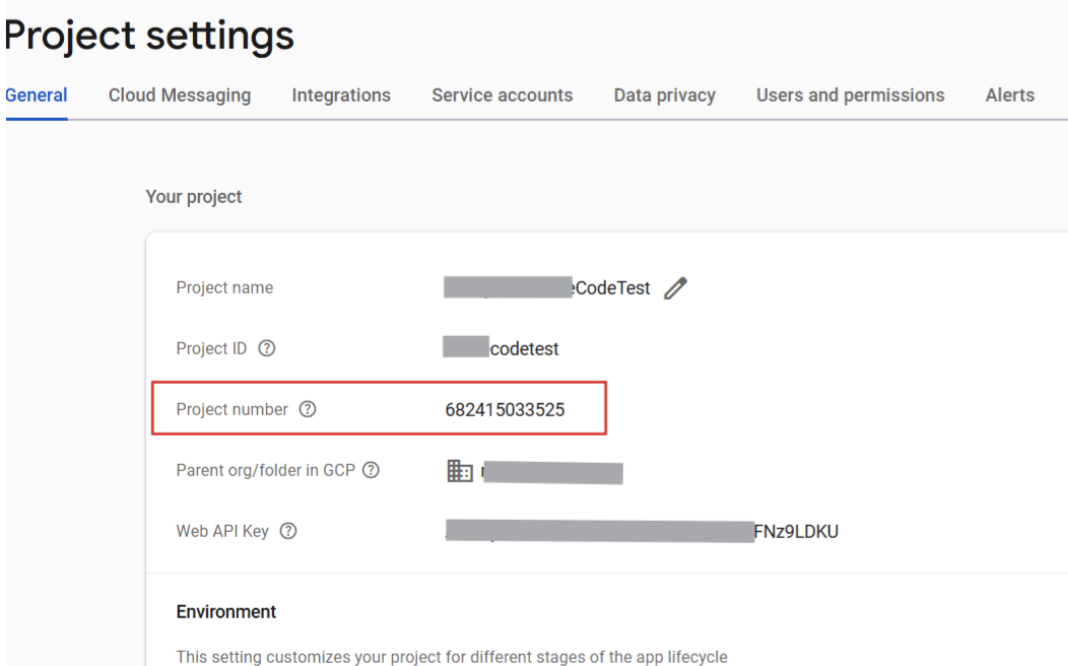
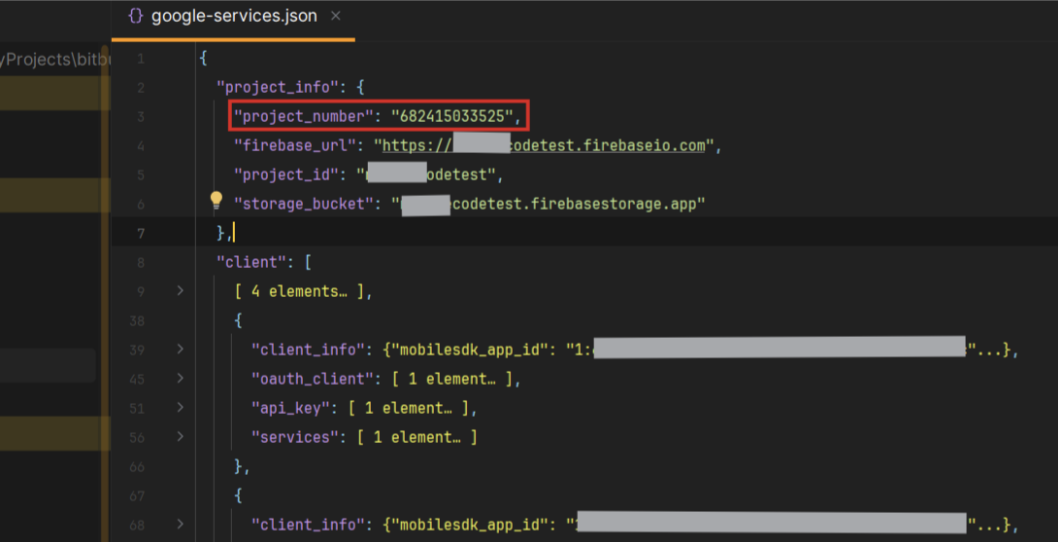
It must match the project_number in your google-services.json.
3. Confirm the same Firebase project is configured in NotifyVisitors
- In the NotifyVisitors panel go to Settings → App Push → Android tab.
- Check the Sender ID shown here.
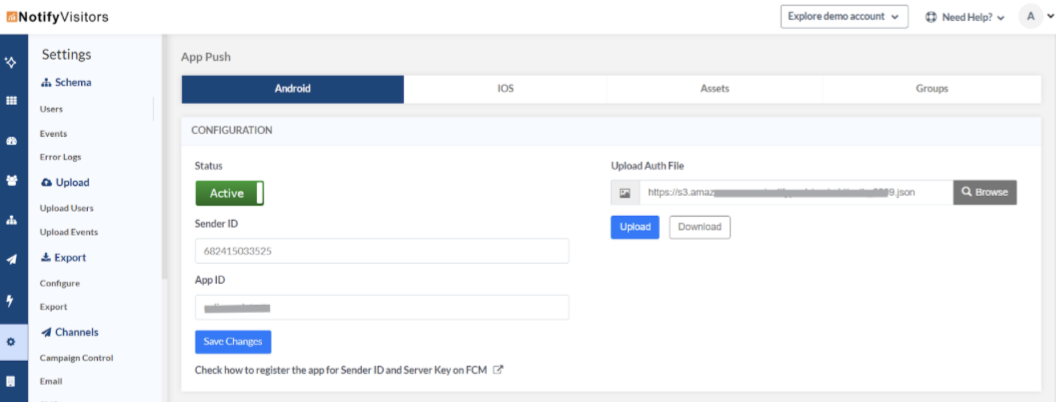
It must equal the Project number from Firebase and the project_number in google-services.json.
If you manage multiple Firebase projects, make sure you didn’t mix files (e.g., dev vs prod).
4. Re-upload the correct auth file
If anything looks off, re-download from Firebase and re-upload to NotifyVisitors:
- In Firebase Console, download the service account JSON/auth file required by NotifyVisitors (per their dashboard instructions).
- Upload it again in the NotifyVisitors dashboard (Settings → App Push → Android tab).
- Rebuild your app.
This ensures your server credentials and your app’s Sender ID come from the same Firebase project.
5. Verify at runtime (SDK v5.5.4+; debug only)
Open Android Logcat and look for:
Firebase Project ID: <firebase_project_name>
- If this printed project name matches your app’s Firebase project, your generated token aligns with the correct project.
- If it differs, you’re building with the wrong
google-services.json(or wrong build variant).
6. Full setup guide
Cross-check every step in the NotifyVisitors doc.
Summary
- Sender ID = Firebase Project number
- It must match in three places:
google-services.json, Firebase, and NotifyVisitors panel. - Re-download/re-upload auth keys from the same Firebase project and confirm Logcat shows the correct project at runtime.
Updated 1 day ago